
SEO (Search Engine Optimization) is about all the ways you can improve your website to…
Stop Checking Your Email The Old Fashioned Way
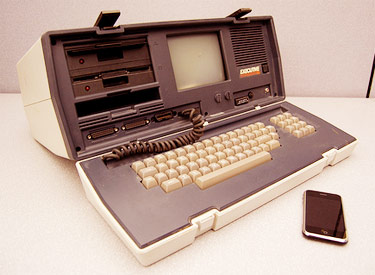 Are you still logging into your webhost control panel to check email?
Find yourself spending half the day sorting through Spam?
Do you have multiple accounts you have to check with multiple logins?
Well, save time and energy by taking advantage of Google.
I have been a long time fan of all things Google and rely on a few of its free products to keep my pet sitting business running smoothly.
If you do not yet have a Gmail account you are missing out on a whole host of benefits. Things that make your life easier. In my opinion, all other email providers are inferior.
Here are 8 reasons you should only be using Google’s Gmail for sending and receiving personal and business email. [Video at End of Post]
1: Infinity+1 storage space
Google coined the phrase Infinity+1 as a charming way to suggest unlimited email space. It may not quite be unlimited, but the odds that you’ll ever have to delete another email message are slim to none.
Your Gmail account is constantly increasing in storage space, as noted and updated within your account. You are awarded with over 7 gigabytes (or 7000 megabytes) of storage, which is more than you’ll ever need.
2: Find mail instantly
Love using Google to search the web? Now you’ll love using Google to search your email. Utilize Google’s search technology and find exactly what you want when you want it.
Never delete another email again. Simply file it away (Archive) and retrieve it with a search when needed. Type a word, phrase or sentence into the search box and your results appear within seconds.
3: Labels are the new folders
With folders, you are limited to choose just one folder to file an email into. With Gmail, you can create unlimited labels and attach as many as necessary to each email.
For example, let’s say you have a folder for new clients and a folder to keep track of outstanding payments due. Since you are limited to file each email in one folder, what happens if you have an email from a new client who also has a payment due?
You can also create labels to keep track of marketing campaigns. 3 labels marked website, flier, and word-of-mouth could prove valuable.
4: Keep spam in its place
Google never ceases to amaze me. I don’t know how they do it, but I rarely get spam messages sent to my inbox. Instead, Gmail automatically recognizes and captures all my spam email and places it in a spam folder.
If a spam email ever makes it to your inbox, simply report it to Google by clicking the ‘report spam’ button found at the top of each message. No more time wasted sorting and deleting spam email. Pretty cool.
5: Use up to 5 other email accounts
“But I don’t want to have to tell all my contacts about a new email address I have.” I wouldn’t either, and with Gmail you don’t have to!
Aside from your Gmail email account, you can use the Gmail features and interface to send and receive up to 5 other email accounts that you own. For example, I send and receive all @petsittingology.com email through Gmail (much like someone may use Outlook or Thunderbird).
Plus, it’s not even limited to business mail. You can use Gmail to send and receive email from your Internet service provider, like your Earthlink, Time Warner or Comcast account, for example.
So now you can literally use the Gmail interface while continuing to use your current personal and business accounts.
6: Chat with clients. Chat with friends.
We all love to chat online. Keep a Gmail window open on your screen and you’ll always see which of your contacts are online. Simply double-click on their name and a chat session is launched.
This also works great for Gmail-connected clients. I’ve initiated a chat with a client when I have a quick question or want to verify something. It also works great from the client’s end. As long as I’m at the computer, I can be reached quickly and easily. Plus, Gmail recognizes if you are idle long enough and will automatically mark your status as away, even if your Gmail window is open.
7: Filters.
Sick and tired of receiving email from a certain someone? Create a filter to automatically send email from a specified address directly to the trash and you’ll never see it again. Want to make sure that any email with the words ‘pet sitting’ in the subject gets your attention fast? Create a filter that automatically attaches your ‘Important’ label to those email.
You can create an unlimited number of rules and filters to make your time sorting through email efficient.
8: One conversation becomes one group of email
Perhaps most clever about the Gmail system is the ability to group email replies into one conversational thread. I remember while using other email systems, replying back and forth with someone produced several different emails that I would have to go looking through my inbox for.
Gmail automatically takes your replies back and forth with someone and groups them together in a convenient conversation mode. All your emails with the person are together at your disposal. Perfect for keeping tabs on what’s been discussed in the past.
What’s Your Take?
Show me you’re alive and let me know how you currently send and receive email. Maybe I’m missing something.
Have you found something as good as, or better than Gmail? Leave your comment below…
Enjoy a video from Google Engineer Matt Cutts showing some of his favorite Gmail features.
Photo Credit http://www.flickr.com/photos/somegeekintn/ / CC BY 2.0

Related Posts



Hello Joshua!
RIght now I am just starting out with my pet sitting business, so I want to say that I am finding your blog very helpful. Especially posts like this one about gmail. Right now I use Windows Live Mail and Window Live Hotmail..I use both because each has features that the other doesn’t and that I need. Example: Windows Live Hotmail allows me to easily create a signature using my logo image file, but Windows Live Mail does not. etc etc etc.
I am going to check out gmail and let you know how it goes.
Thanks again,
Deb
Deb’s Pet Buddies, LLC
Hi Deb,
Congrats on starting your pet sitting business! And nice to know you find the blog here helpful.
For the record, Gmail at this time does not have a feature for html signatures (which would be needed to add your logo)… However, there is a Firefox browser add-on that makes html email sigs a breeze.
Check out http://www.wisestamp.com/ and download the plugin. You can then use html sig in Gmail.
If you’re not currently using Firefox to browse the web, I suggest you ditch Internet Explorer and go with Firefox at http://www.mozilla.com/en-US/firefox/personal.html (and I guess that’s another blog post entirely 🙂
Keep us updated on how things go for you.
Hello Joshua!
RIght now I am just starting out with my pet sitting business, so I want to say that I am finding your blog very helpful. Especially posts like this one about gmail. Right now I use Windows Live Mail and Window Live Hotmail..I use both because each has features that the other doesn’t and that I need. Example: Windows Live Hotmail allows me to easily create a signature using my logo image file, but Windows Live Mail does not. etc etc etc.
I am going to check out gmail and let you know how it goes.
Thanks again,
Deb
Deb’s Pet Buddies, LLC
Hi Deb,
Congrats on starting your pet sitting business! And nice to know you find the blog here helpful.
For the record, Gmail at this time does not have a feature for html signatures (which would be needed to add your logo)… However, there is a Firefox browser add-on that makes html email sigs a breeze.
Check out http://www.wisestamp.com/ and download the plugin. You can then use html sig in Gmail.
If you’re not currently using Firefox to browse the web, I suggest you ditch Internet Explorer and go with Firefox at http://www.mozilla.com/en-US/firefox/personal.html (and I guess that’s another blog post entirely 🙂
Keep us updated on how things go for you.